Lunar New Year Festival
Bright Tết colors with bánh chưng, apricot blossoms, and peach blossoms.
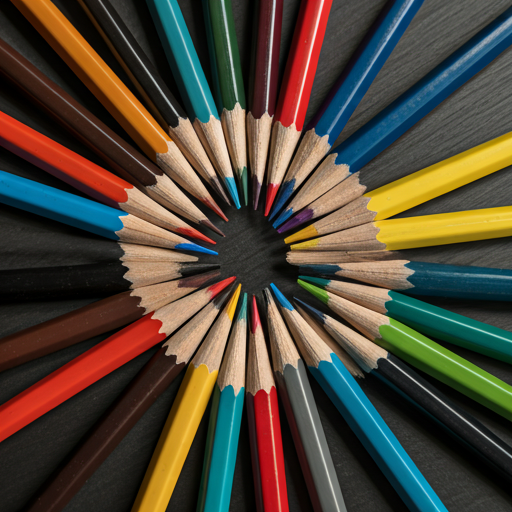
Try Our New Neon Color Set
Introduction to Digital BlendingWelcome, artists! One of the most fundamental skills in digital art is color blending. It's the secret sauce that can take your artwork from flat and cartoonish to rich, vibrant, and three-dimensional. Whether you're working on a character portrait, a landscape, or an abstract piece, mastering blending techniques will elevate your creations to a new level of professionalism. This guide will walk you through the essential concepts and tools you need to know.Smooth transitions are key to creating depth and realism.Choosing the Right ToolsEvery digital art application comes with a variety of brushes and tools, but a few are particularly crucial for blending. The most common are the 'Smudge' tool, soft-edged brushes (like an airbrush), and brushes with opacity controlled by pen pressure.Soft Airbrush: Ideal for creating soft gradients and subtle transitions. Use a large brush size with low opacity to gently build up color.Smudge Tool: This tool mimics the effect of smudging charcoal or paint with your finger. It's powerful but can easily create muddy colors if overused. Experiment with different smudge brush shapes and strengths.Mixer Brush: Found in more advanced software, this tool simulates realistic paint mixing directly on the canvas, picking up and blending colors as you paint.Techniques for a Flawless BlendThe first step is to lay down your base colors next to each other. Don't worry about them being perfect. The magic happens in the transition. Using a soft brush with low opacity (around 10-30%), pick a color that is midway between your two base colors. Gently paint over the boundary where they meet. Repeat this process, sampling colors from the transition area and painting with them, until the seam disappears and you're left with a smooth gradient. Patience is key; it's a process of building up layers of color.
January 24, 2026
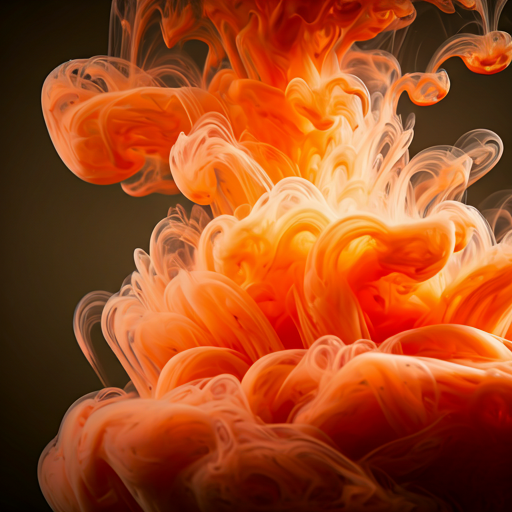
Introducing Advanced Blending Tools
Introduction to Digital BlendingWelcome, artists! One of the most fundamental skills in digital art is color blending. It's the secret sauce that can take your artwork from flat and cartoonish to rich, vibrant, and three-dimensional. Whether you're working on a character portrait, a landscape, or an abstract piece, mastering blending techniques will elevate your creations to a new level of professionalism. This guide will walk you through the essential concepts and tools you need to know.Smooth transitions are key to creating depth and realism.Choosing the Right ToolsEvery digital art application comes with a variety of brushes and tools, but a few are particularly crucial for blending. The most common are the 'Smudge' tool, soft-edged brushes (like an airbrush), and brushes with opacity controlled by pen pressure.Soft Airbrush: Ideal for creating soft gradients and subtle transitions. Use a large brush size with low opacity to gently build up color.Smudge Tool: This tool mimics the effect of smudging charcoal or paint with your finger. It's powerful but can easily create muddy colors if overused. Experiment with different smudge brush shapes and strengths.Mixer Brush: Found in more advanced software, this tool simulates realistic paint mixing directly on the canvas, picking up and blending colors as you paint.Techniques for a Flawless BlendThe first step is to lay down your base colors next to each other. Don't worry about them being perfect. The magic happens in the transition. Using a soft brush with low opacity (around 10-30%), pick a color that is midway between your two base colors. Gently paint over the boundary where they meet. Repeat this process, sampling colors from the transition area and painting with them, until the seam disappears and you're left with a smooth gradient. Patience is key; it's a process of building up layers of color.
January 23, 2026
Pastel Palettes Have Arrived
Introduction to Digital BlendingWelcome, artists! One of the most fundamental skills in digital art is color blending. It's the secret sauce that can take your artwork from flat and cartoonish to rich, vibrant, and three-dimensional. Whether you're working on a character portrait, a landscape, or an abstract piece, mastering blending techniques will elevate your creations to a new level of professionalism. This guide will walk you through the essential concepts and tools you need to know.Smooth transitions are key to creating depth and realism.Choosing the Right ToolsEvery digital art application comes with a variety of brushes and tools, but a few are particularly crucial for blending. The most common are the 'Smudge' tool, soft-edged brushes (like an airbrush), and brushes with opacity controlled by pen pressure.Soft Airbrush: Ideal for creating soft gradients and subtle transitions. Use a large brush size with low opacity to gently build up color.Smudge Tool: This tool mimics the effect of smudging charcoal or paint with your finger. It's powerful but can easily create muddy colors if overused. Experiment with different smudge brush shapes and strengths.Mixer Brush: Found in more advanced software, this tool simulates realistic paint mixing directly on the canvas, picking up and blending colors as you paint.Techniques for a Flawless BlendThe first step is to lay down your base colors next to each other. Don't worry about them being perfect. The magic happens in the transition. Using a soft brush with low opacity (around 10-30%), pick a color that is midway between your two base colors. Gently paint over the boundary where they meet. Repeat this process, sampling colors from the transition area and painting with them, until the seam disappears and you're left with a smooth gradient. Patience is key; it's a process of building up layers of color.
January 23, 2026
New 'Floral Fantasy' Collection
Introduction to Digital BlendingWelcome, artists! One of the most fundamental skills in digital art is color blending. It's the secret sauce that can take your artwork from flat and cartoonish to rich, vibrant, and three-dimensional. Whether you're working on a character portrait, a landscape, or an abstract piece, mastering blending techniques will elevate your creations to a new level of professionalism. This guide will walk you through the essential concepts and tools you need to know.Smooth transitions are key to creating depth and realism.Choosing the Right ToolsEvery digital art application comes with a variety of brushes and tools, but a few are particularly crucial for blending. The most common are the 'Smudge' tool, soft-edged brushes (like an airbrush), and brushes with opacity controlled by pen pressure.Soft Airbrush: Ideal for creating soft gradients and subtle transitions. Use a large brush size with low opacity to gently build up color.Smudge Tool: This tool mimics the effect of smudging charcoal or paint with your finger. It's powerful but can easily create muddy colors if overused. Experiment with different smudge brush shapes and strengths.Mixer Brush: Found in more advanced software, this tool simulates realistic paint mixing directly on the canvas, picking up and blending colors as you paint.Techniques for a Flawless BlendThe first step is to lay down your base colors next to each other. Don't worry about them being perfect. The magic happens in the transition. Using a soft brush with low opacity (around 10-30%), pick a color that is midway between your two base colors. Gently paint over the boundary where they meet. Repeat this process, sampling colors from the transition area and painting with them, until the seam disappears and you're left with a smooth gradient. Patience is key; it's a process of building up layers of color.
January 24, 2026
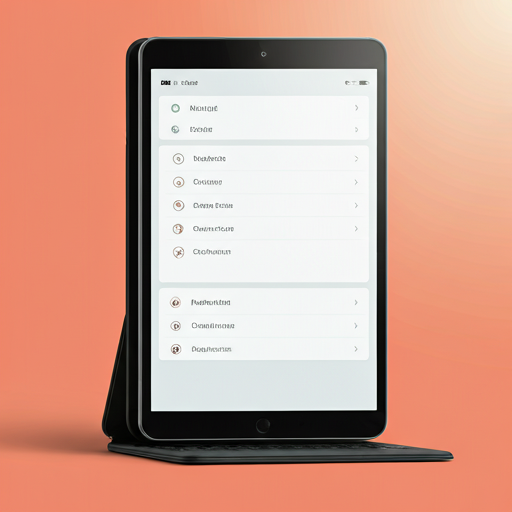
Feature Update: Magic Fill Tool
Introduction to Digital BlendingWelcome, artists! One of the most fundamental skills in digital art is color blending. It's the secret sauce that can take your artwork from flat and cartoonish to rich, vibrant, and three-dimensional. Whether you're working on a character portrait, a landscape, or an abstract piece, mastering blending techniques will elevate your creations to a new level of professionalism. This guide will walk you through the essential concepts and tools you need to know.Smooth transitions are key to creating depth and realism.Choosing the Right ToolsEvery digital art application comes with a variety of brushes and tools, but a few are particularly crucial for blending. The most common are the 'Smudge' tool, soft-edged brushes (like an airbrush), and brushes with opacity controlled by pen pressure.Soft Airbrush: Ideal for creating soft gradients and subtle transitions. Use a large brush size with low opacity to gently build up color.Smudge Tool: This tool mimics the effect of smudging charcoal or paint with your finger. It's powerful but can easily create muddy colors if overused. Experiment with different smudge brush shapes and strengths.Mixer Brush: Found in more advanced software, this tool simulates realistic paint mixing directly on the canvas, picking up and blending colors as you paint.Techniques for a Flawless BlendThe first step is to lay down your base colors next to each other. Don't worry about them being perfect. The magic happens in the transition. Using a soft brush with low opacity (around 10-30%), pick a color that is midway between your two base colors. Gently paint over the boundary where they meet. Repeat this process, sampling colors from the transition area and painting with them, until the seam disappears and you're left with a smooth gradient. Patience is key; it's a process of building up layers of color.
January 24, 2026
The Mindful Art of Mandala Coloring
Introduction to Digital BlendingWelcome, artists! One of the most fundamental skills in digital art is color blending. It's the secret sauce that can take your artwork from flat and cartoonish to rich, vibrant, and three-dimensional. Whether you're working on a character portrait, a landscape, or an abstract piece, mastering blending techniques will elevate your creations to a new level of professionalism. This guide will walk you through the essential concepts and tools you need to know.Smooth transitions are key to creating depth and realism.Choosing the Right ToolsEvery digital art application comes with a variety of brushes and tools, but a few are particularly crucial for blending. The most common are the 'Smudge' tool, soft-edged brushes (like an airbrush), and brushes with opacity controlled by pen pressure.Soft Airbrush: Ideal for creating soft gradients and subtle transitions. Use a large brush size with low opacity to gently build up color.Smudge Tool: This tool mimics the effect of smudging charcoal or paint with your finger. It's powerful but can easily create muddy colors if overused. Experiment with different smudge brush shapes and strengths.Mixer Brush: Found in more advanced software, this tool simulates realistic paint mixing directly on the canvas, picking up and blending colors as you paint.Techniques for a Flawless BlendThe first step is to lay down your base colors next to each other. Don't worry about them being perfect. The magic happens in the transition. Using a soft brush with low opacity (around 10-30%), pick a color that is midway between your two base colors. Gently paint over the boundary where they meet. Repeat this process, sampling colors from the transition area and painting with them, until the seam disappears and you're left with a smooth gradient. Patience is key; it's a process of building up layers of color.
January 23, 2026
Mastering Color Blending: A Guide for Digital Artists
Introduction to Digital BlendingWelcome, artists! One of the most fundamental skills in digital art is color blending. It's the secret sauce that can take your artwork from flat and cartoonish to rich, vibrant, and three-dimensional. Whether you're working on a character portrait, a landscape, or an abstract piece, mastering blending techniques will elevate your creations to a new level of professionalism. This guide will walk you through the essential concepts and tools you need to know.Smooth transitions are key to creating depth and realism.Choosing the Right ToolsEvery digital art application comes with a variety of brushes and tools, but a few are particularly crucial for blending. The most common are the 'Smudge' tool, soft-edged brushes (like an airbrush), and brushes with opacity controlled by pen pressure.Soft Airbrush: Ideal for creating soft gradients and subtle transitions. Use a large brush size with low opacity to gently build up color.Smudge Tool: This tool mimics the effect of smudging charcoal or paint with your finger. It's powerful but can easily create muddy colors if overused. Experiment with different smudge brush shapes and strengths.Mixer Brush: Found in more advanced software, this tool simulates realistic paint mixing directly on the canvas, picking up and blending colors as you paint.Techniques for a Flawless BlendThe first step is to lay down your base colors next to each other. Don't worry about them being perfect. The magic happens in the transition. Using a soft brush with low opacity (around 10-30%), pick a color that is midway between your two base colors. Gently paint over the boundary where they meet. Repeat this process, sampling colors from the transition area and painting with them, until the seam disappears and you're left with a smooth gradient. Patience is key; it's a process of building up layers of color.
January 23, 2026
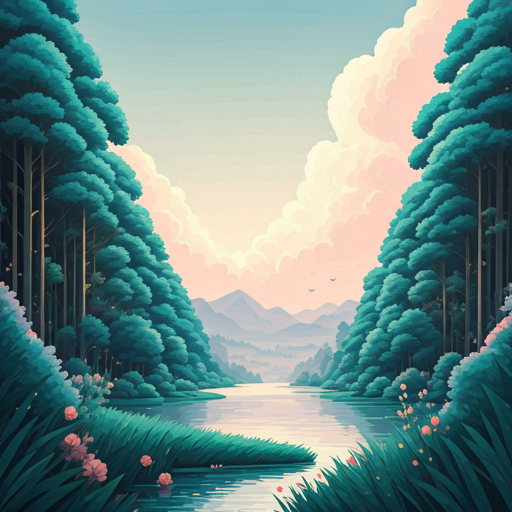
Community Challenge: Fantasy Worlds
Introduction to Digital BlendingWelcome, artists! One of the most fundamental skills in digital art is color blending. It's the secret sauce that can take your artwork from flat and cartoonish to rich, vibrant, and three-dimensional. Whether you're working on a character portrait, a landscape, or an abstract piece, mastering blending techniques will elevate your creations to a new level of professionalism. This guide will walk you through the essential concepts and tools you need to know.Smooth transitions are key to creating depth and realism.Choosing the Right ToolsEvery digital art application comes with a variety of brushes and tools, but a few are particularly crucial for blending. The most common are the 'Smudge' tool, soft-edged brushes (like an airbrush), and brushes with opacity controlled by pen pressure.Soft Airbrush: Ideal for creating soft gradients and subtle transitions. Use a large brush size with low opacity to gently build up color.Smudge Tool: This tool mimics the effect of smudging charcoal or paint with your finger. It's powerful but can easily create muddy colors if overused. Experiment with different smudge brush shapes and strengths.Mixer Brush: Found in more advanced software, this tool simulates realistic paint mixing directly on the canvas, picking up and blending colors as you paint.Techniques for a Flawless BlendThe first step is to lay down your base colors next to each other. Don't worry about them being perfect. The magic happens in the transition. Using a soft brush with low opacity (around 10-30%), pick a color that is midway between your two base colors. Gently paint over the boundary where they meet. Repeat this process, sampling colors from the transition area and painting with them, until the seam disappears and you're left with a smooth gradient. Patience is key; it's a process of building up layers of color.
January 23, 2026
Artist Spotlight: Meet Leo Rivera
Introduction to Digital BlendingWelcome, artists! One of the most fundamental skills in digital art is color blending. It's the secret sauce that can take your artwork from flat and cartoonish to rich, vibrant, and three-dimensional. Whether you're working on a character portrait, a landscape, or an abstract piece, mastering blending techniques will elevate your creations to a new level of professionalism. This guide will walk you through the essential concepts and tools you need to know.Smooth transitions are key to creating depth and realism.Choosing the Right ToolsEvery digital art application comes with a variety of brushes and tools, but a few are particularly crucial for blending. The most common are the 'Smudge' tool, soft-edged brushes (like an airbrush), and brushes with opacity controlled by pen pressure.Soft Airbrush: Ideal for creating soft gradients and subtle transitions. Use a large brush size with low opacity to gently build up color.Smudge Tool: This tool mimics the effect of smudging charcoal or paint with your finger. It's powerful but can easily create muddy colors if overused. Experiment with different smudge brush shapes and strengths.Mixer Brush: Found in more advanced software, this tool simulates realistic paint mixing directly on the canvas, picking up and blending colors as you paint.Techniques for a Flawless BlendThe first step is to lay down your base colors next to each other. Don't worry about them being perfect. The magic happens in the transition. Using a soft brush with low opacity (around 10-30%), pick a color that is midway between your two base colors. Gently paint over the boundary where they meet. Repeat this process, sampling colors from the transition area and painting with them, until the seam disappears and you're left with a smooth gradient. Patience is key; it's a process of building up layers of color.
January 23, 2026
Tips for Choosing Your Color Palette
Introduction to Digital BlendingWelcome, artists! One of the most fundamental skills in digital art is color blending. It's the secret sauce that can take your artwork from flat and cartoonish to rich, vibrant, and three-dimensional. Whether you're working on a character portrait, a landscape, or an abstract piece, mastering blending techniques will elevate your creations to a new level of professionalism. This guide will walk you through the essential concepts and tools you need to know.Smooth transitions are key to creating depth and realism.Choosing the Right ToolsEvery digital art application comes with a variety of brushes and tools, but a few are particularly crucial for blending. The most common are the 'Smudge' tool, soft-edged brushes (like an airbrush), and brushes with opacity controlled by pen pressure.Soft Airbrush: Ideal for creating soft gradients and subtle transitions. Use a large brush size with low opacity to gently build up color.Smudge Tool: This tool mimics the effect of smudging charcoal or paint with your finger. It's powerful but can easily create muddy colors if overused. Experiment with different smudge brush shapes and strengths.Mixer Brush: Found in more advanced software, this tool simulates realistic paint mixing directly on the canvas, picking up and blending colors as you paint.Techniques for a Flawless BlendThe first step is to lay down your base colors next to each other. Don't worry about them being perfect. The magic happens in the transition. Using a soft brush with low opacity (around 10-30%), pick a color that is midway between your two base colors. Gently paint over the boundary where they meet. Repeat this process, sampling colors from the transition area and painting with them, until the seam disappears and you're left with a smooth gradient. Patience is key; it's a process of building up layers of color.
January 23, 2026
Our App's Newest Features Explained
Introduction to Digital BlendingWelcome, artists! One of the most fundamental skills in digital art is color blending. It's the secret sauce that can take your artwork from flat and cartoonish to rich, vibrant, and three-dimensional. Whether you're working on a character portrait, a landscape, or an abstract piece, mastering blending techniques will elevate your creations to a new level of professionalism. This guide will walk you through the essential concepts and tools you need to know.Smooth transitions are key to creating depth and realism.Choosing the Right ToolsEvery digital art application comes with a variety of brushes and tools, but a few are particularly crucial for blending. The most common are the 'Smudge' tool, soft-edged brushes (like an airbrush), and brushes with opacity controlled by pen pressure.Soft Airbrush: Ideal for creating soft gradients and subtle transitions. Use a large brush size with low opacity to gently build up color.Smudge Tool: This tool mimics the effect of smudging charcoal or paint with your finger. It's powerful but can easily create muddy colors if overused. Experiment with different smudge brush shapes and strengths.Mixer Brush: Found in more advanced software, this tool simulates realistic paint mixing directly on the canvas, picking up and blending colors as you paint.Techniques for a Flawless BlendThe first step is to lay down your base colors next to each other. Don't worry about them being perfect. The magic happens in the transition. Using a soft brush with low opacity (around 10-30%), pick a color that is midway between your two base colors. Gently paint over the boundary where they meet. Repeat this process, sampling colors from the transition area and painting with them, until the seam disappears and you're left with a smooth gradient. Patience is key; it's a process of building up layers of color.
January 23, 2026
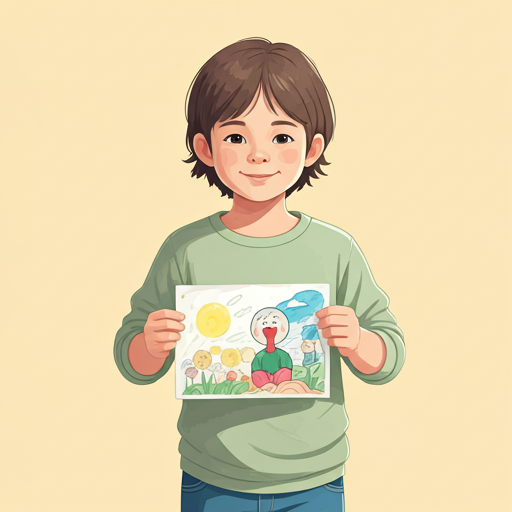
Coloring Fun for the Whole Family
Introduction to Digital BlendingWelcome, artists! One of the most fundamental skills in digital art is color blending. It's the secret sauce that can take your artwork from flat and cartoonish to rich, vibrant, and three-dimensional. Whether you're working on a character portrait, a landscape, or an abstract piece, mastering blending techniques will elevate your creations to a new level of professionalism. This guide will walk you through the essential concepts and tools you need to know.Smooth transitions are key to creating depth and realism.Choosing the Right ToolsEvery digital art application comes with a variety of brushes and tools, but a few are particularly crucial for blending. The most common are the 'Smudge' tool, soft-edged brushes (like an airbrush), and brushes with opacity controlled by pen pressure.Soft Airbrush: Ideal for creating soft gradients and subtle transitions. Use a large brush size with low opacity to gently build up color.Smudge Tool: This tool mimics the effect of smudging charcoal or paint with your finger. It's powerful but can easily create muddy colors if overused. Experiment with different smudge brush shapes and strengths.Mixer Brush: Found in more advanced software, this tool simulates realistic paint mixing directly on the canvas, picking up and blending colors as you paint.Techniques for a Flawless BlendThe first step is to lay down your base colors next to each other. Don't worry about them being perfect. The magic happens in the transition. Using a soft brush with low opacity (around 10-30%), pick a color that is midway between your two base colors. Gently paint over the boundary where they meet. Repeat this process, sampling colors from the transition area and painting with them, until the seam disappears and you're left with a smooth gradient. Patience is key; it's a process of building up layers of color.
January 23, 2026